Tools & Apps
Every application that ships with Maze Linux, grouped by category. Anything marked not on the ISO is one command away but is not installed for you.
Maze-Built Tools
These were developed specifically for Maze Linux and update from the signed
[mazelinux] repository.
Maze Control Center
An OLED-styled PySide6 dashboard showing the live state of your system.
- Pages: Overview, Security, Privacy, Network, AI, Hardening, Maintenance.
- Shows whether AppArmor, the firewall, auditd and Maze Guard are active, and a hardening score.
- Shows MAC randomization status, Tor, and the current interface addresses.
- Shows whether Ollama is running and which models are installed.
- All privileged actions are shown as copyable terminal commands — nothing runs automatically.
maze-control-center
Maze Welcome
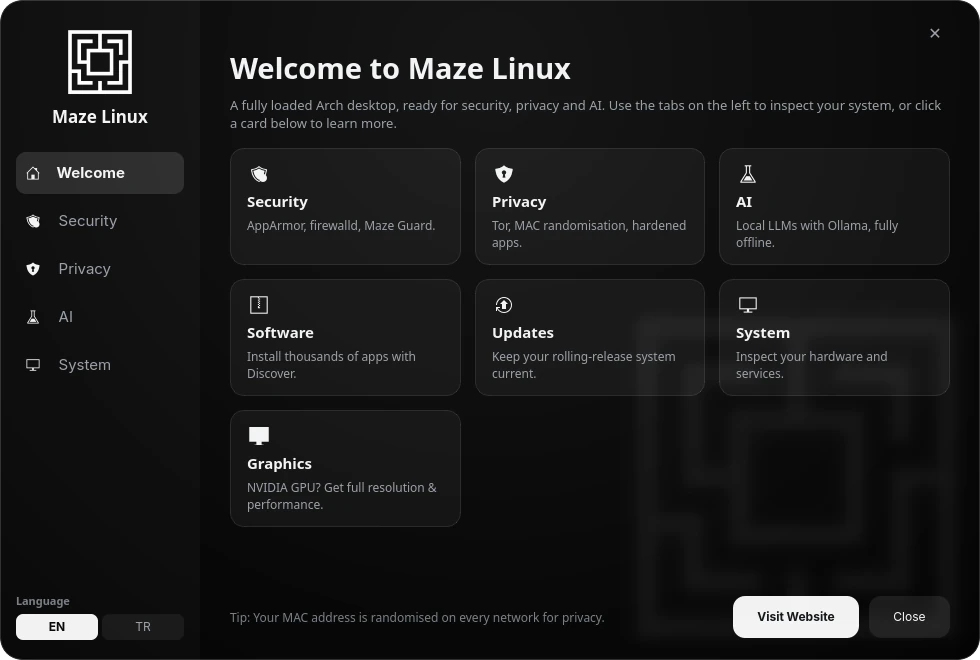
A first-login greeter that opens once after install to orient new users, then
removes its own autostart entry. Run maze-welcome to open it again.
mazelinux
The command-line companion: system, security and AI status in the terminal.
Install Maze Linux (Calamares)
The guided graphical installer, in the dock of the live session only. It handles partitioning, LUKS encryption, users and the signed boot chain. See the Installation Guide.
Maze Guard
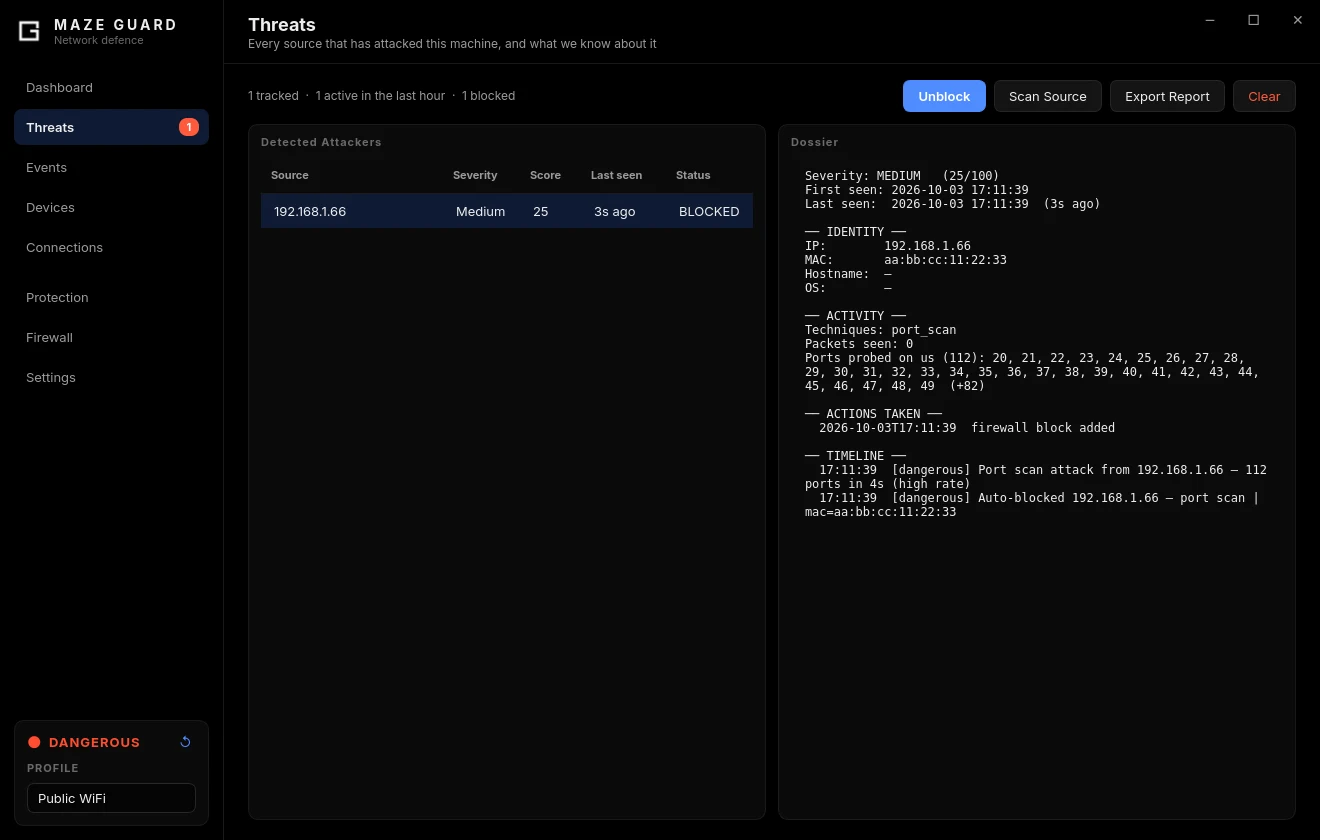
Maze's public Wi-Fi security monitor: detects ARP spoofing / MITM, port scans, rogue access points, DNS poisoning, forged IPv6 router advertisements and new devices on your network, and blocks attackers through firewalld. Each attacker gets a dossier (MAC, vendor, hostname, OS, what it tried). Starts hidden in the tray at login. Full page: Maze Guard.
Maze Cloak
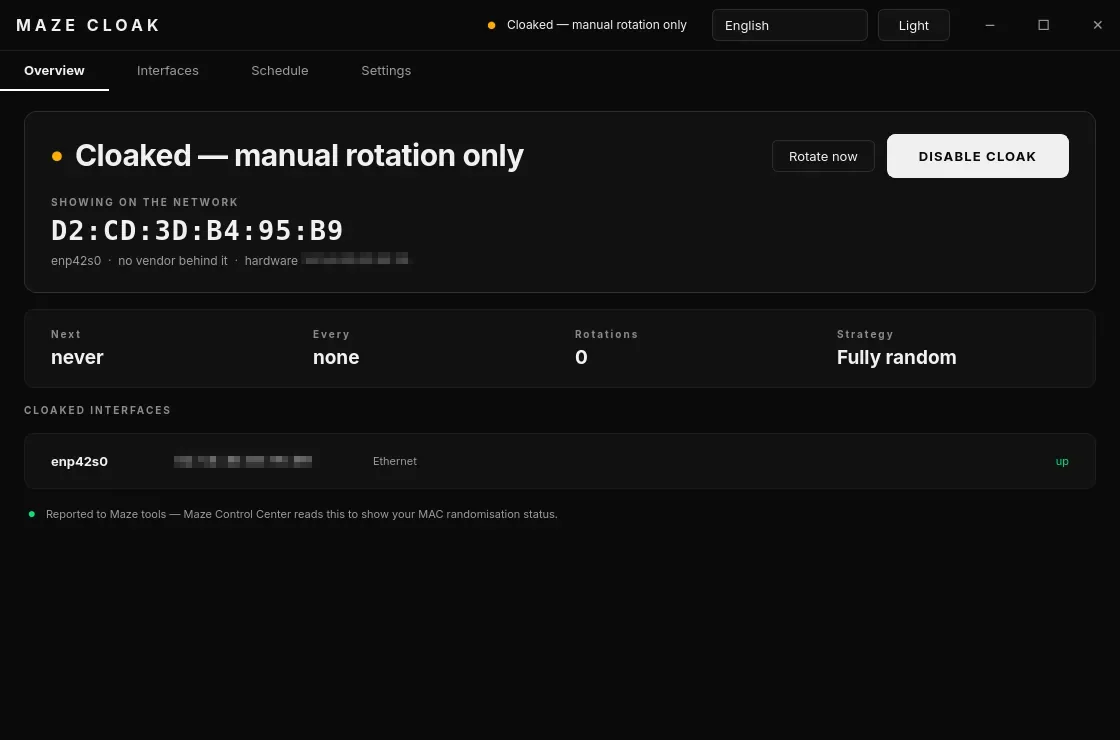
MAC address randomisation in three layers — while scanning for networks, per connection, and on a rotation timer — with VPN-aware pausing. Tray-first, English / Turkish. Off until you switch it on in the app. See the Privacy Reference.
Maze Hardware
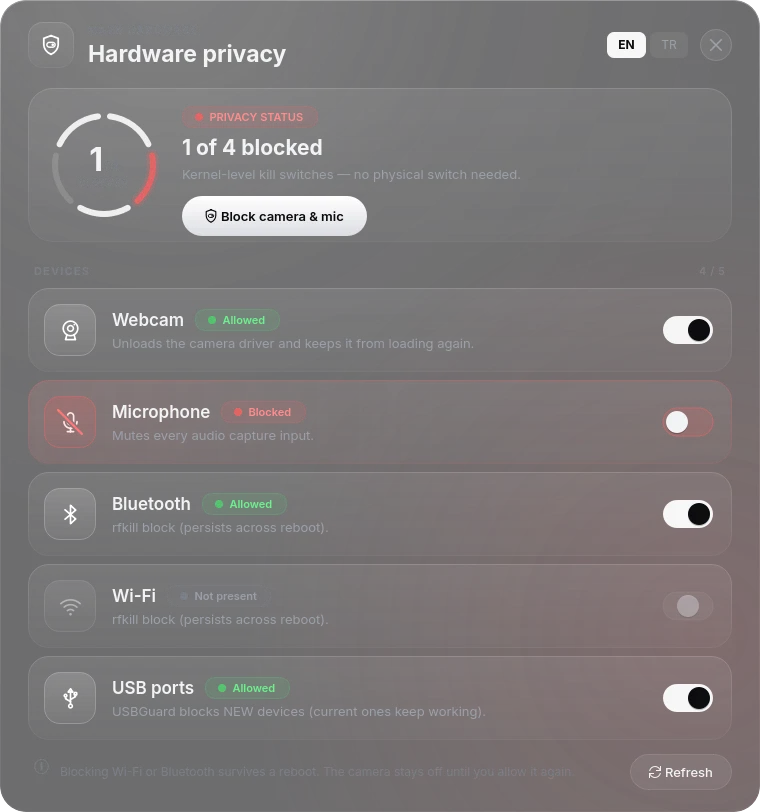
The kill-switch window: camera, microphone, Bluetooth, Wi-Fi and USB, below the application level. See Kill Switches.
Maze Panic
The emergency button — Ctrl+Alt+P or the tray widget. Cuts the network, locks the screen and wipes logs, histories and clipboard. See Kill Switches.
Maze Sentinel
Background service that turns audit events into desktop notifications when something security-relevant changes (accounts, sudoers, SSH keys, new SUID-root programs). See Security.
QLAM
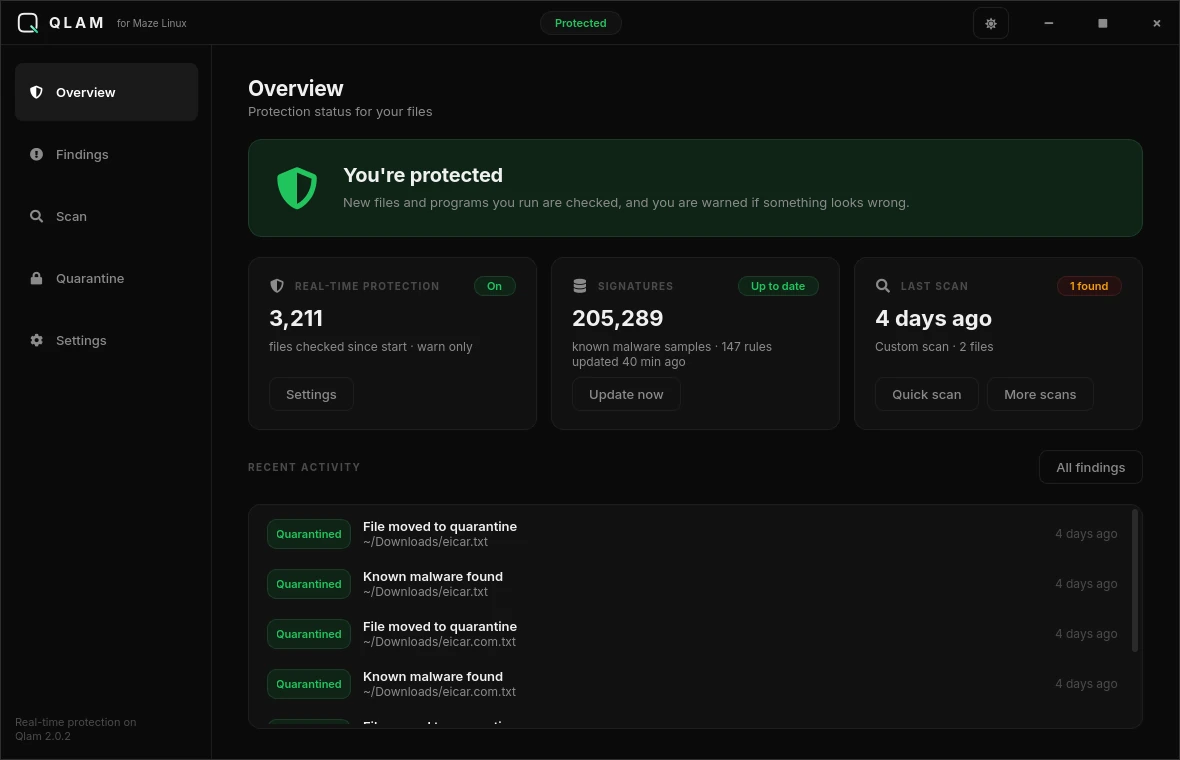
Maze's own warn-first antivirus. A Rust service (qlamd) checks new files
and programs in your home folder, /tmp, /dev/shm and USB drives using known
malware hashes and YARA rules. Quick, home-folder or custom
scans, startup-entry checks, and a safe quarantine. It never deletes anything on
its own.
Real-time protection is off until you enable it:
sudo systemctl enable --now qlamd.service qlam-update.timer
See Security.
Entropy Shield
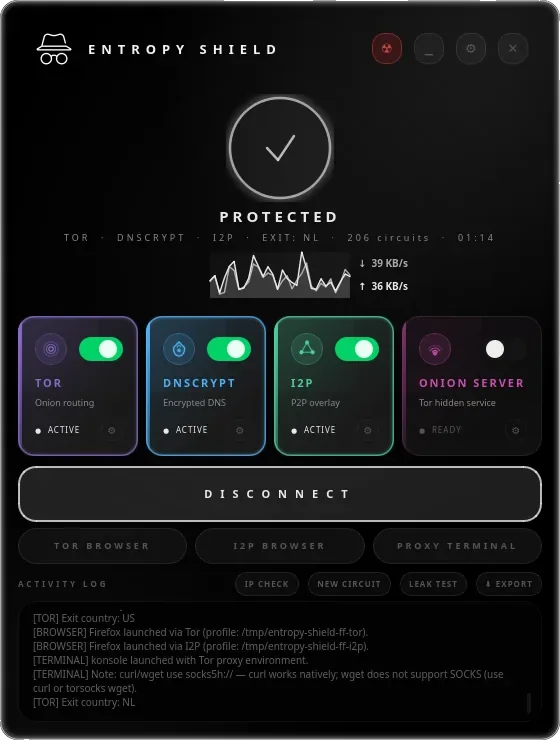
Tor transparent proxy, DNSCrypt, I2P and a Tor onion file server — in any combination, from one window, with IPv6 leak protection and a kill switch. Does not connect until you press Connect. Full page: Entropy Shield.
Haze
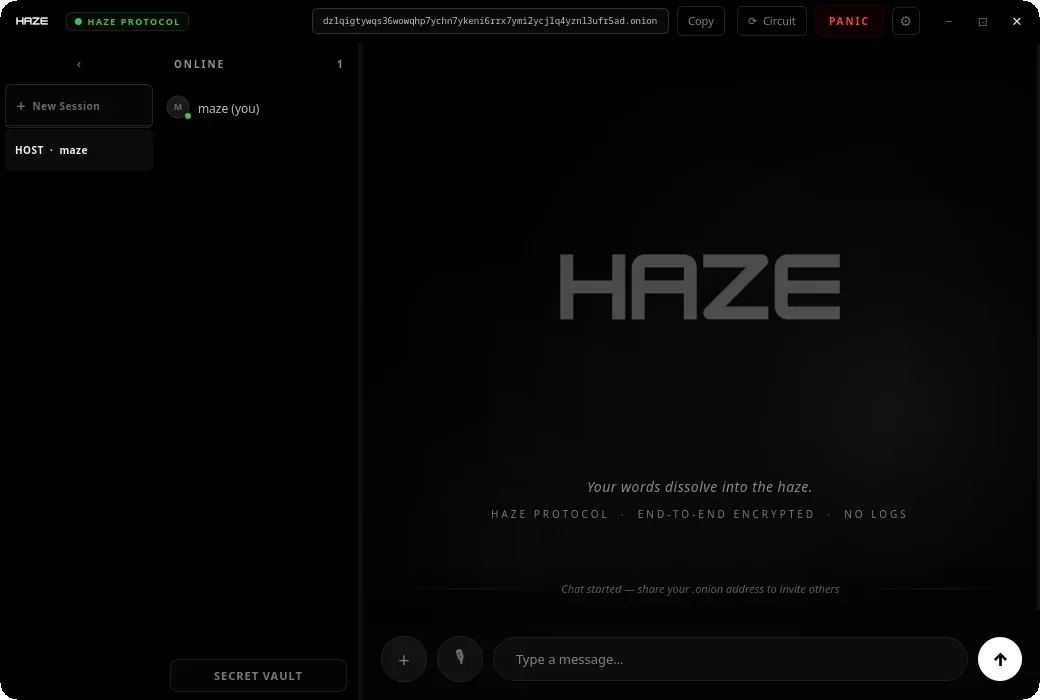
Peer-to-peer group chat over Tor. One side hosts a session as a Tor hidden
service, others join by its .onion address — from the app or from Tor
Browser. No accounts, no logs, no keys written to disk; end-to-end encrypted
(X25519 + ChaCha20-Poly1305). Also: file transfer, voice notes, disappearing
messages, an encrypted vault with a duress password, and a panic button.
HazeDrop
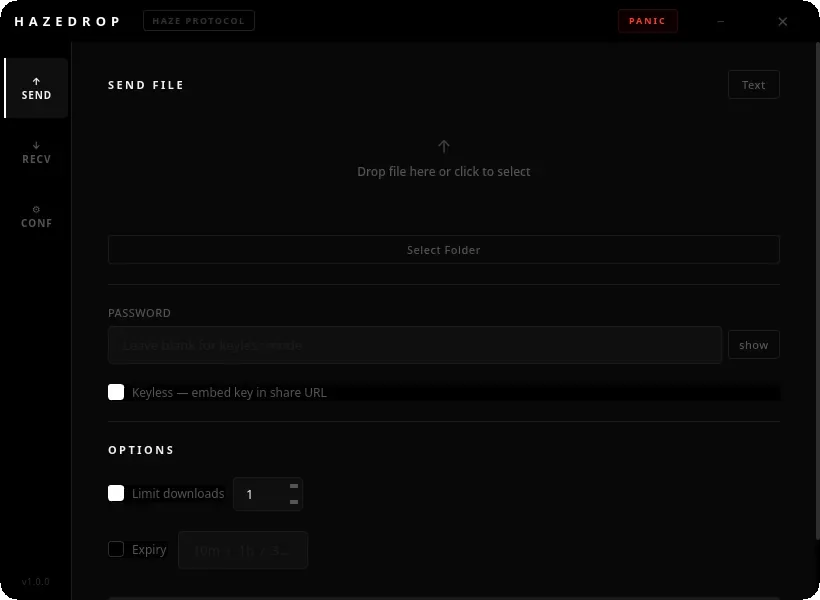
Anonymous file and text transfer over Tor (Haze Protocol v2). Each share
gets its own .onion link; the receiver can use the app or any Tor browser.
Optional password, one-time links, expiry (30s … 30d) and download limits.
hazedrop send report.pdf --once --expire 1h
hazedrop receive "http://xxxxx.onion#key:hash" -o ~/Downloads
Maze AI
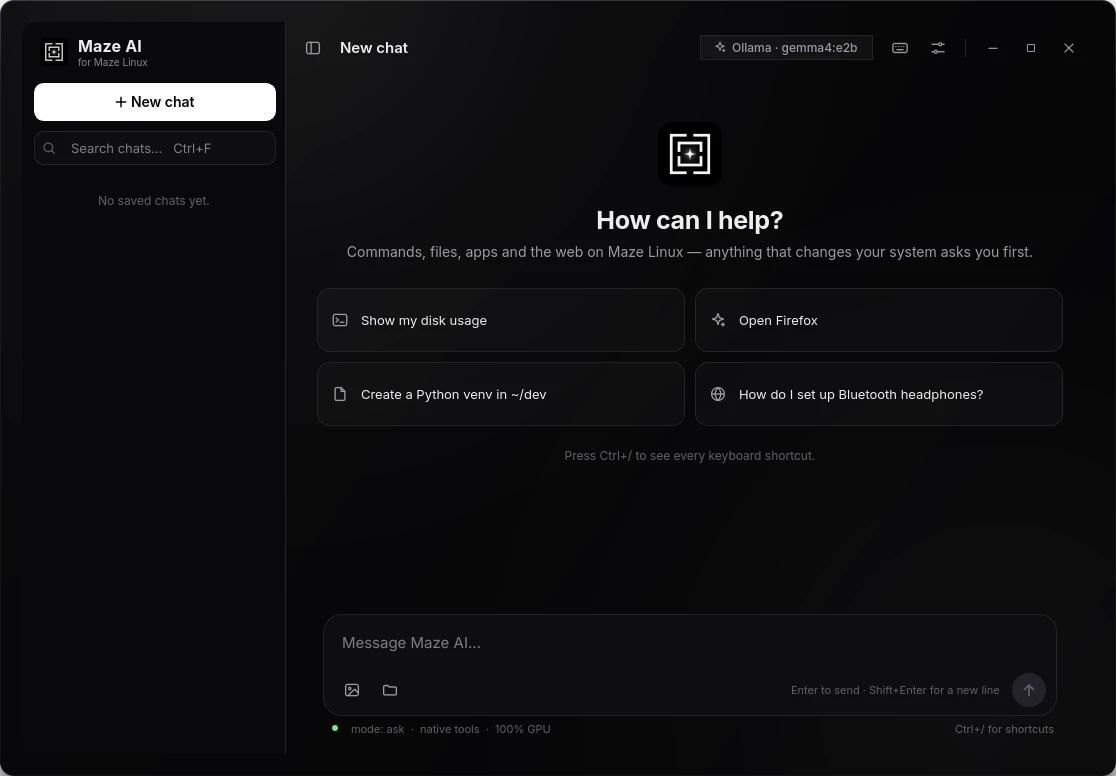
Maze's own desktop AI assistant (PySide6), built on local Ollama models — nothing leaves the machine. It is agentic: it can read your clipboard, files, directories, shell history and screen to answer questions. Turkish is a first-class language. See AI & Development.
Maze Connect
Phone ↔ desktop companion: dashboard, media and remote control, file transfer,
clipboard sync, kill switches, unlock and approve sudo with your fingerprint.
Sits in the tray. See Maze Connect.
Maze Kernel Switcher
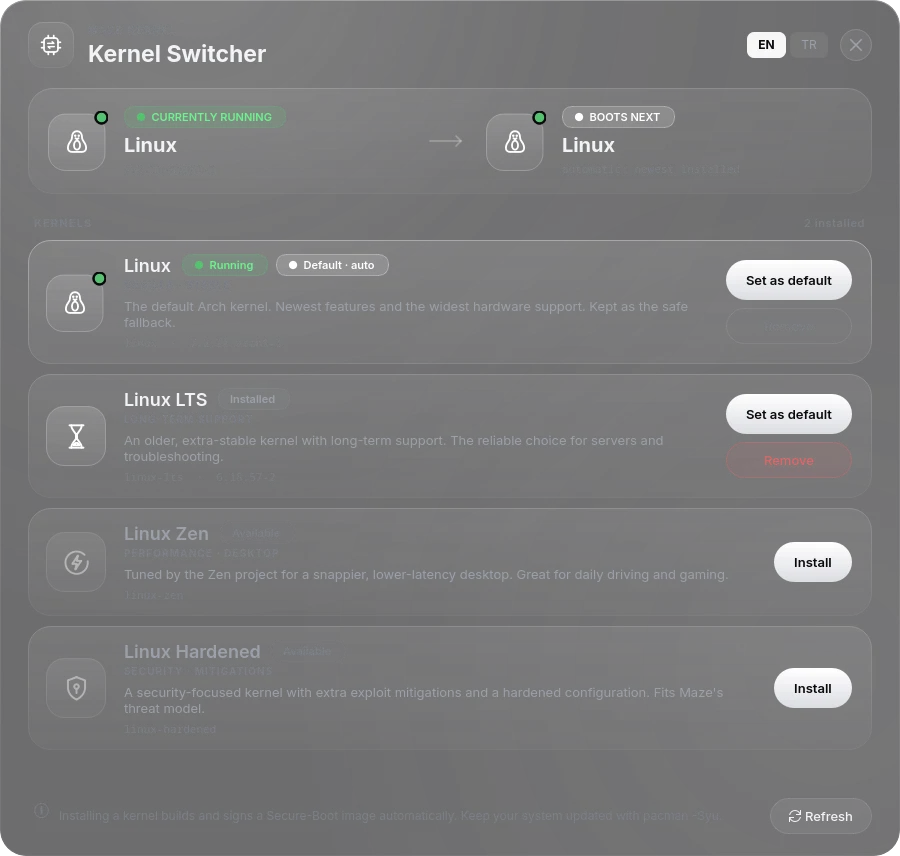
maze-kernel — choose the default kernel and install/remove linux-zen or
linux-hardened. See Kernel Management.
Maze Store
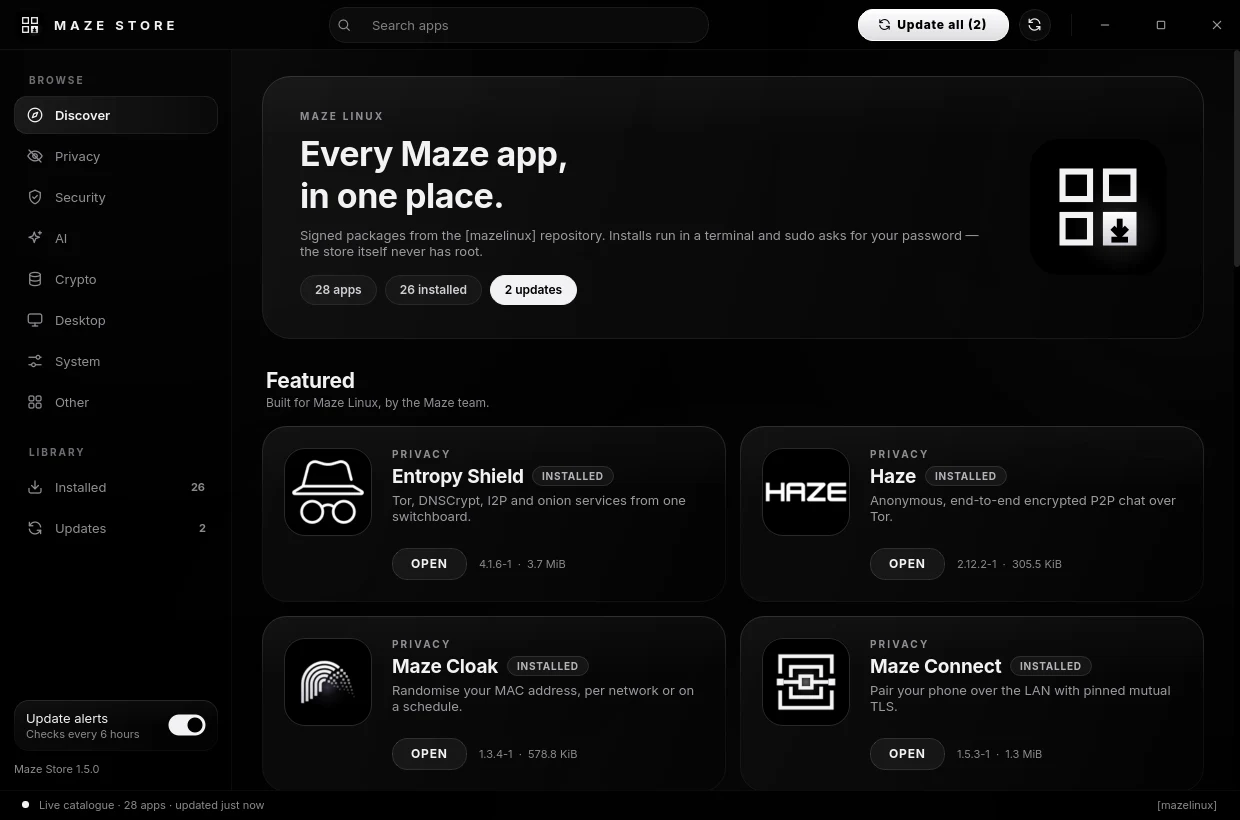
The app store for the signed [mazelinux] repository: browse the Maze apps by
category, read what each one does, and install, update or remove it. A package
published to the repository shows up in the store on its own.
The store has no privileges. It ships no polkit rule, no setuid helper and
no system service. Every change opens in a terminal window, so you see the
exact command and pacman's summary and type your password into sudo, never
into the store:
| Action | Command it runs |
|---|---|
| Install / update an app | sudo -k pacman -Syu --needed <package> |
| Remove an app | sudo -k pacman -Rns <package> |
| Update everything | sudo -k pacman -Syu |
-k makes sudo ask for the password every time. Installing uses -Syu
rather than -S on purpose: installing against a newer package list without
upgrading the rest is the partial upgrade that breaks Arch systems.
Update alerts: a systemd user timer checks the repository 10 minutes after login and then every 6 hours, as you, never as root. When Maze apps have updates it posts one notification; its button opens the store on the Updates page. It never installs anything by itself.
- Turn alerts off: the switch at the bottom of the store's sidebar.
- Check by hand:
maze-store --check-updates --print - Stop the timer entirely:
systemctl --user mask --now maze-store-updates.timer
Installed by default. If you removed it: sudo pacman -S maze-store.
Maze Wallpaper
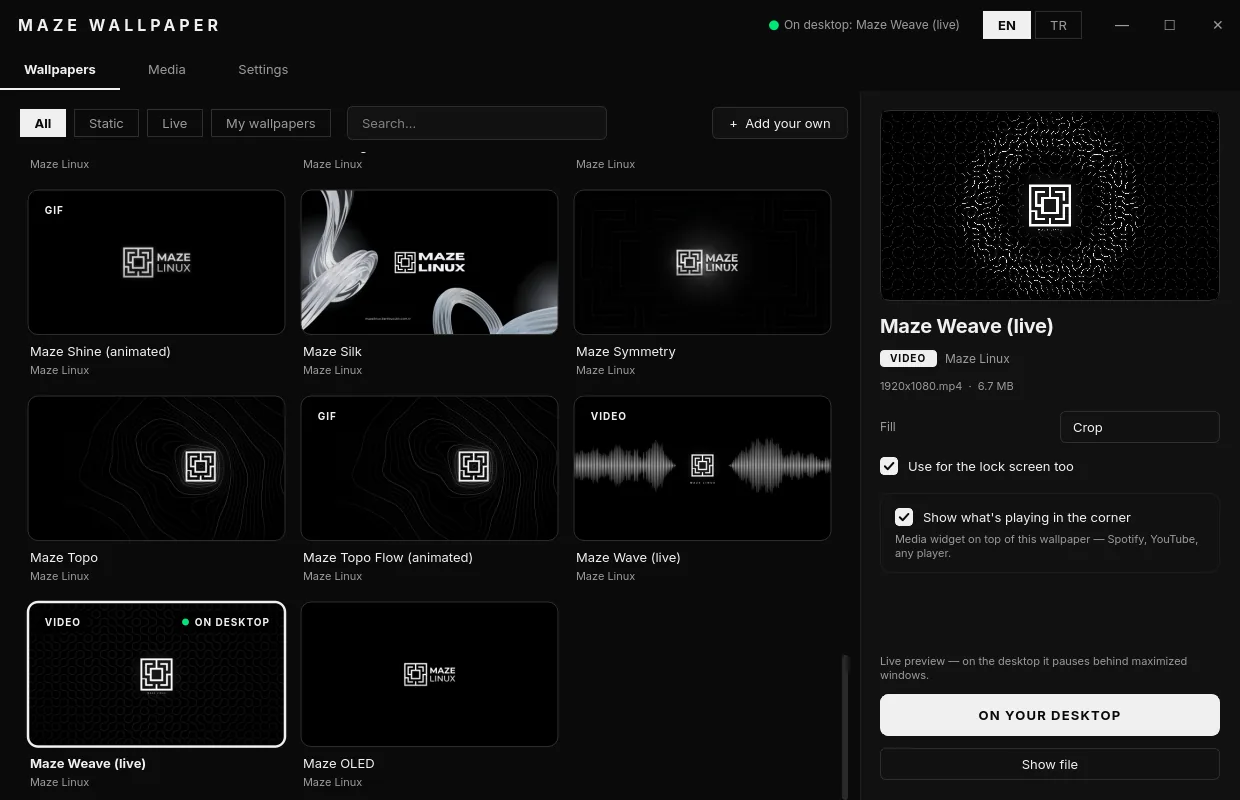
The desktop's wallpaper engine: still images, GIFs and looping videos, active blur behind focused windows, and a media mode that shows what is playing. Open Maze Wallpaper to pick or add your own. The default wallpaper is Maze Dust.
AI Usage widget
A Plasma widget (plasma6-applets-ai-usage) showing plan limits for coding
agents (Claude Code, Codex, Gemini CLI, Copilot, OpenCode). Installed but not
on the panel — add it via Add Widgets… if you want it.
Gaming defaults (maze-gaming)
Steam is preinstalled. maze-gaming makes it faster without loosening the
system's security outside a running game: shader pre-compilation on all CPU
threads, larger shader caches, GameMode with a gaming scheduler, ntsync for
Wine/Proton, MangoHud and gamescope. Run maze-gaming status to see what is
active. Launch options, settings and 32-bit games: see Gaming.
Optional Maze apps — not installed by default
Both can send data to Google Gemini, so they are left out of the default
install. They stay one command away in [mazelinux]:
| App | What it is | Install |
|---|---|---|
| SentinAI | PassGen / OSINT tooling for authorised penetration testing. Prefers a local Ollama backend but still has a Gemini cloud path. | sudo pacman -S sentinai |
| Linux Chan AI | Chat assistant with a terminal UI. No offline mode: files and screenshots it reads are sent to Google. | sudo pacman -S linux-chan-ai |
Both show a notice the first time the cloud backend is used.
These are also in [mazelinux] and not installed by default:
| App | What it is | Install |
|---|---|---|
| Gaze | Checks what your machine reveals to the network: IP, DNS, IPv6 and WebRTC leaks. | sudo pacman -S gaze |
| Maze Crypto | Read-only crypto portfolio tracker: Ledger, xpub watch-only and Monero view-only over Tor. Never asks for private keys or seed phrases. Also on Android, with home-screen widgets. | sudo pacman -S maze-crypto |
| Coin Tracker widget | Plasma widget with live coin prices and 7-day charts in the panel. | sudo pacman -S plasma6-applets-coin-tracker |
| Ledger Live | Ledger's hardware-wallet app. ledger-udev adds the udev rules so the device is seen without root. | sudo pacman -S ledger-live ledger-udev |
Browsers
Firefox
The default browser, configured by system-wide policies: telemetry, Studies and Pocket off, tracking/fingerprinting/cryptomining protection on, DNS-over-HTTPS on. See Privacy.
Tor Browser
Routes all traffic through the Tor network. Launch Tor Browser from the menu
(torbrowser-launcher); the first run downloads and verifies the official bundle.
Mullvad Browser — not on the ISO, in [mazelinux]
sudo pacman -S mullvad-browser maze-mullvad-browser-theme
The theme package gives it the Maze look: black interface, Maze blue accent.
Brave — not on the ISO
paru -S brave-bin (AUR)
Communication & Messaging
Session
An end-to-end encrypted private messenger with no phone number required. Decentralized network, no central servers storing metadata.
Discord
The voice/text/community platform. Included for convenience.
Thunderbird
Full-featured email client with built-in OpenPGP support.
Productivity
ONLYOFFICE
Not baked into the ISO — the installer builds it from the AUR (
onlyoffice-bin) during installation, which needs network. If that failed, runmaze-aur-setup.
A full office suite compatible with Microsoft Office formats (.docx, .xlsx, .pptx).
Joplin
An open-source, end-to-end encrypted note-taking app with Markdown support and optional sync (Nextcloud, Joplin Cloud, self-hosted).
Upscayl
AI image upscaling with local models — no upload. See AI & Development.
Claude Code
Anthropic's command-line coding assistant (claude). Needs an Anthropic account
and sends your prompts to Anthropic's servers when you use it.
KDE Apps
| App | Purpose |
|---|---|
| Dolphin | File manager with split view and tabs |
| Konsole | Terminal |
| Yakuake | Drop-down terminal — press F12 |
| Kate | Advanced text editor with split view and LSP support |
| Okular | PDF and document viewer |
| Gwenview | Image viewer |
| Spectacle | Screenshots |
| Ark | Archive manager (zip, tar, 7z, rar) |
| KCalc | Calculator |
| KFind | File search |
| KWallet Manager | Credential/secret storage |
| Filelight | Disk usage visualization |
| KDE Partition Manager | Disk and partition management |
| Discover | Software center (Flatpak and system packages) |
| ISO Image Writer | Write ISO images to USB sticks |
KDE Connect is not installed — Maze Connect takes its place. If you prefer KDE Connect:
sudo pacman -S kdeconnect(and allow it through the firewall).
Security Tools
Firejail
Application sandboxing — firejail <program> runs a program with a restricted
view of the system.
rkhunter
Rootkit detection scanner. Run periodically:
sudo rkhunter --update
sudo rkhunter --check
lynis
Security auditing tool that scores your system configuration and suggests improvements:
sudo lynis audit system
Wireshark
Full GUI network protocol analyzer. The installer adds your user to the
wireshark group so you can capture without sudo.
nmap
Network scanner for host discovery and port scanning (scan only networks you own or are authorised to test):
nmap -sV 192.168.1.0/24
aircrack-ng
Wi-Fi security testing suite (monitor mode, packet capture, WPA handshake testing). Use only on networks you own or are authorized to test.
Hardware keys and TPM
libfido2, sequoia-sq, openpgp-card-tools (FIDO2 keys, OpenPGP cards) ·
tpm2-tools, tpm2-tss (TPM 2.0).
Privacy Tools
Tor + OnionShare
tor— the Tor daemon, enabled at boot as a SOCKS5 proxy on127.0.0.1:9050.- OnionShare — share files, receive files or host a site over a Tor
.onionaddress.
Encrypted DNS (via Entropy Shield)
dnscrypt-proxy and i2pd are installed but not running on their own —
Entropy Shield starts them when you turn those layers on. The system
resolver out of the box is systemd-resolved.
Proton VPN
The Proton VPN desktop app (Proton account required). WireGuard and OpenVPN protocols supported.
WireGuard · OpenVPN
sudo wg-quick up wg0          # /etc/wireguard/wg0.conf
sudo openvpn --config my.ovpn
Both can also be imported into NetworkManager from System Settings.
Mullvad VPN — not on the ISO
paru -S mullvad-vpn-bin (AUR), then optionally sudo pacman -S maze-mullvad-theme
for the Maze look: black interface and map, tray icons that show the connection state.
Media
VLC
Universal media player supporting nearly every format.
PipeWire
The audio stack — handles audio and video routing, replacing PulseAudio and JACK with a single compatible layer. Configured automatically.
Spotify — not on the ISO
paru -S spotify-launcher
System Utilities
btop
A modern, interactive resource monitor in the terminal.
fastfetch
Displays a Maze-branded system summary at shell startup.
Btrfs Assistant
GUI tool for managing Btrfs subvolumes and snapper snapshots.
Bitwarden
Open-source password manager (desktop app).
FileZilla
Full-featured FTP/SFTP/FTPS client.
Distrobox
Run containers that use another distro's package manager while sharing your home directory and display. It needs a container engine, which is not installed:
sudo pacman -S podman
distrobox create --name ubuntu --image ubuntu:24.04
distrobox enter ubuntu
fwupd
Firmware update client for BIOS/UEFI, NVMe and peripheral firmware from the Linux Vendor Firmware Service (LVFS).
Disk rescue toolkit
clonezilla, testdisk, ddrescue, fsarchiver, partclone, partimage,
gpart, smartmontools.
Development
paru
The AUR helper, preinstalled and kept updated from [mazelinux]:
paru -S <package>   # install
paru -Syu           # update everything, including AUR apps
paru -Ss <keyword>  # search
base-devel + git
The Arch build toolchain (gcc, make, binutils, fakeroot, patch, …) and
git — enough to build AUR packages.
Python + pip
Python 3 with pip and setuptools. Most Maze tools are written in Python.
Node.js · Go · Rust — not on the ISO
nodejs is present only as a dependency of other apps (there is no npm).
Install the toolchains you need:
sudo pacman -S nodejs npm
sudo pacman -S go
sudo pacman -S rustup && rustup default stable
Flatpak + Flathub
Sandboxed app distribution. Flathub is added on the first boot with an internet
connection. Install apps with flatpak install flathub <id> or through Discover.
Virtualization — not preinstalled
sudo pacman -S qemu-desktop libvirt virt-manager edk2-ovmf
sudo systemctl enable --now libvirtd
sudo usermod -aG libvirt,kvm "$USER"   # log out and back in
Prefer VMware Workstation? maze-install-vmware sets it up (needs internet).
See AI & Development for the full development section.